
Many Good Games Start in a Tavern
Many good games start in a tavern—so it only feels right that many good papercraft buildings start with a tavern, too.
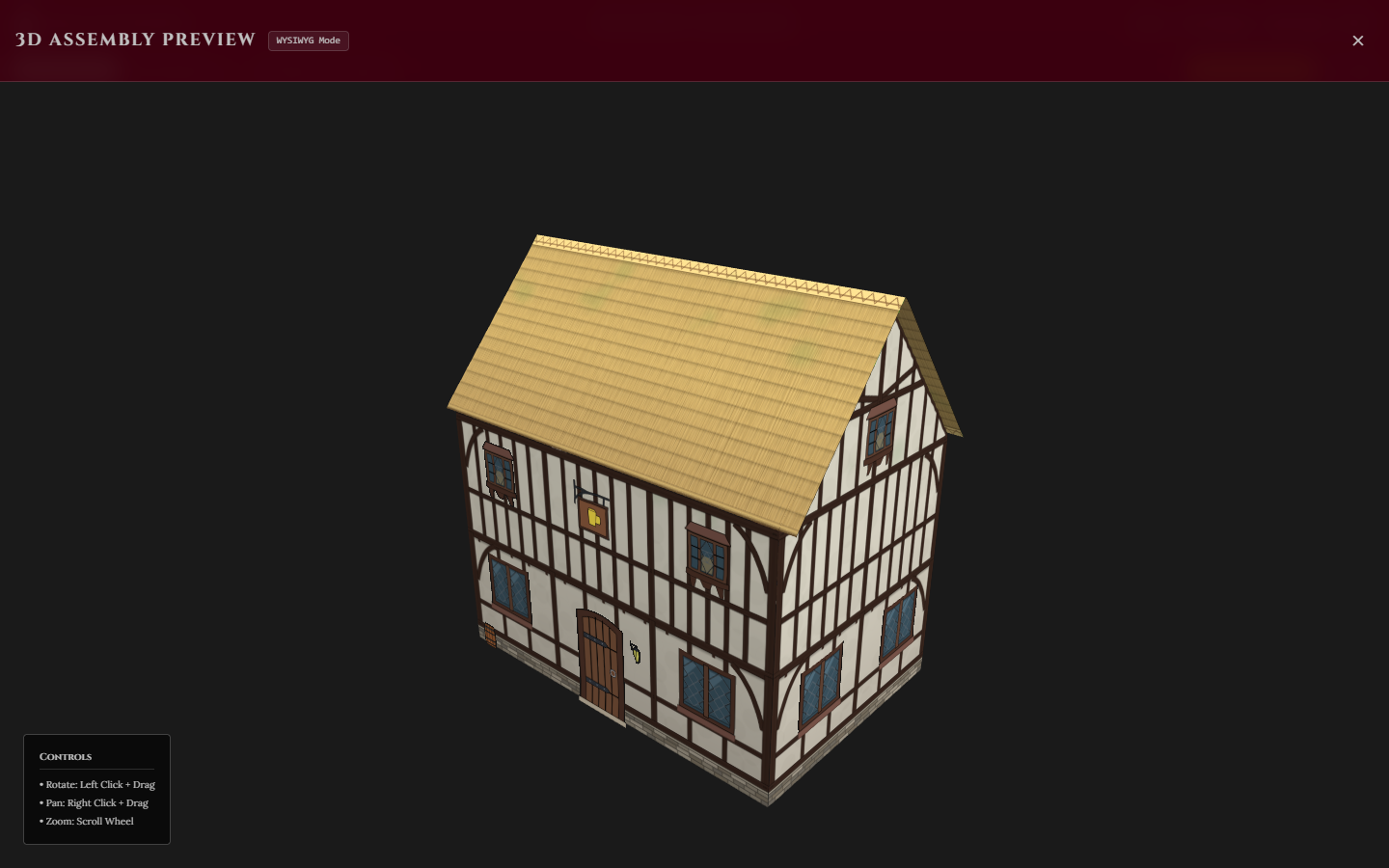
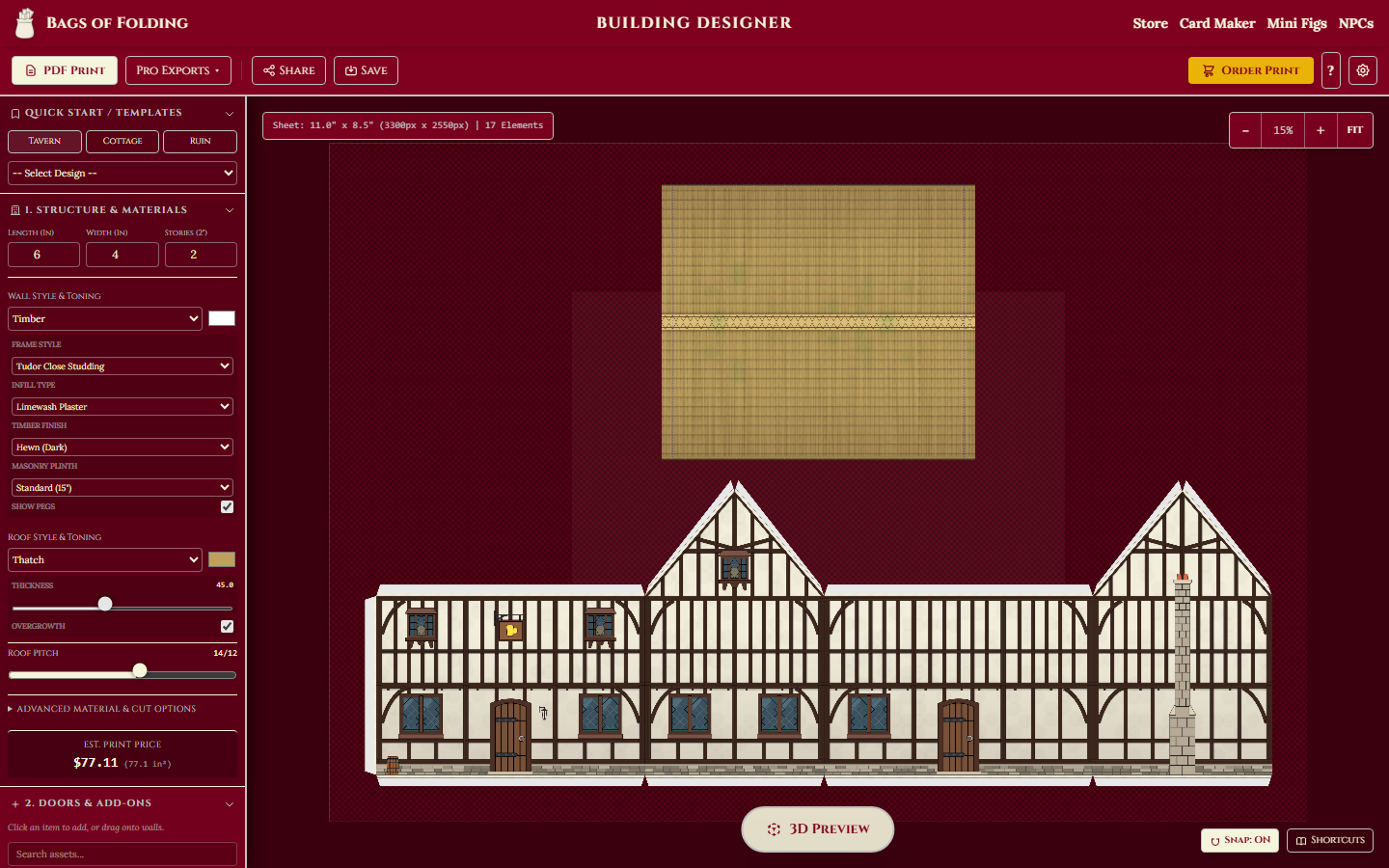
If we’re going to walk through the starter buildings one by one, the Tudor Tavern is the obvious place to begin. It’s a classic two-story inn you can view right away in the 3D Preview—ready to print on paper or cardstock for tonight’s session—or open straight in the 2D Building Designer to tweak until it feels like it belongs in a specific corner of your own world.
What’s Inside the Default Tavern
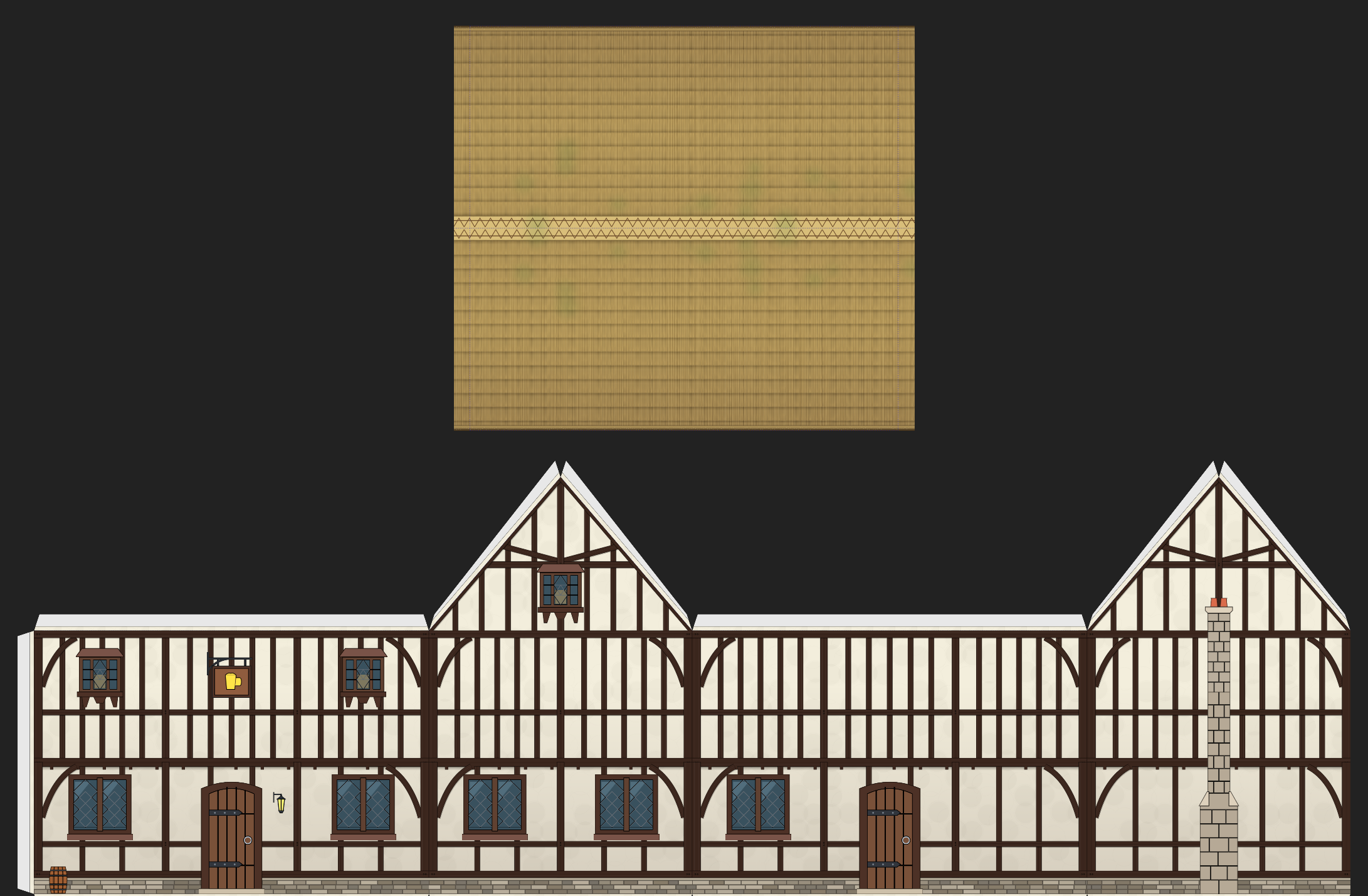
Opening the Tudor Tavern template (or clicking Tavern in the Quick Start / Templates bar) loads a 6" × 4" two-story inn built with full half-timbered joinery running down to a low Masonry Plinth:
- Walls: Close-studded timber framing (
Hewn (Dark)) paired with warmLimewash Plasterinfill. - Roof: Steep
14/12Thatch roofing with a thick overhang and a bit of moss overgrowth. - Details: Leaded ground-floor casements, jetted upper-story oriel windows, heavy plank doors, and a swinging pint-pot tavern sign.
From Printed Sheets to Tabletop: Paper Cutouts & UV-Printed Metal Fold
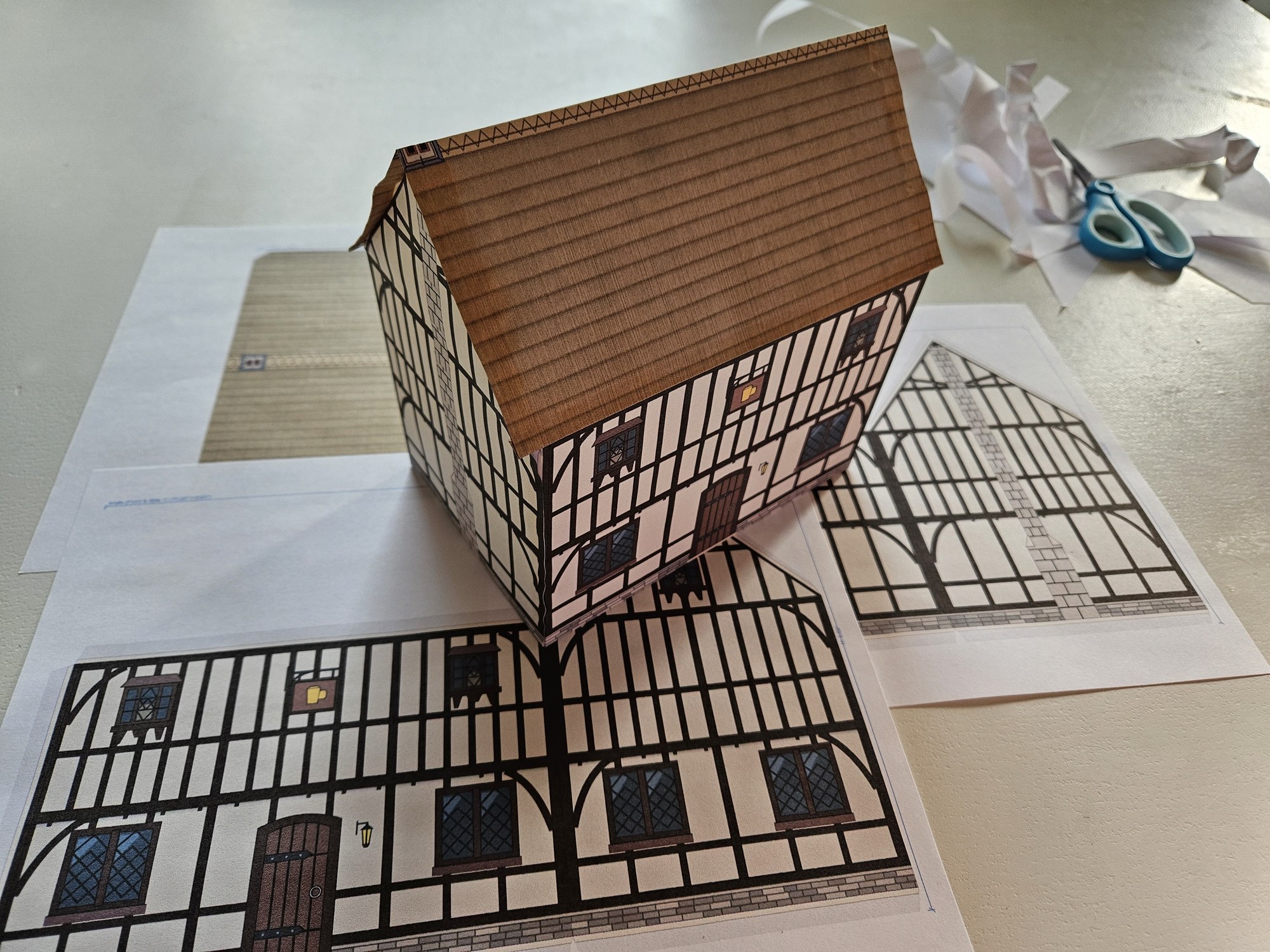
Once you export the sheets, it’s just a matter of grabbing a pair of scissors, cutting out the walls and roof, and folding them up. Even on regular paper or cardstock, the tavern comes together fast—and if you want something heavier for the table, you can also buy the same design as a Metal Fold with UV-printed 3D texture.
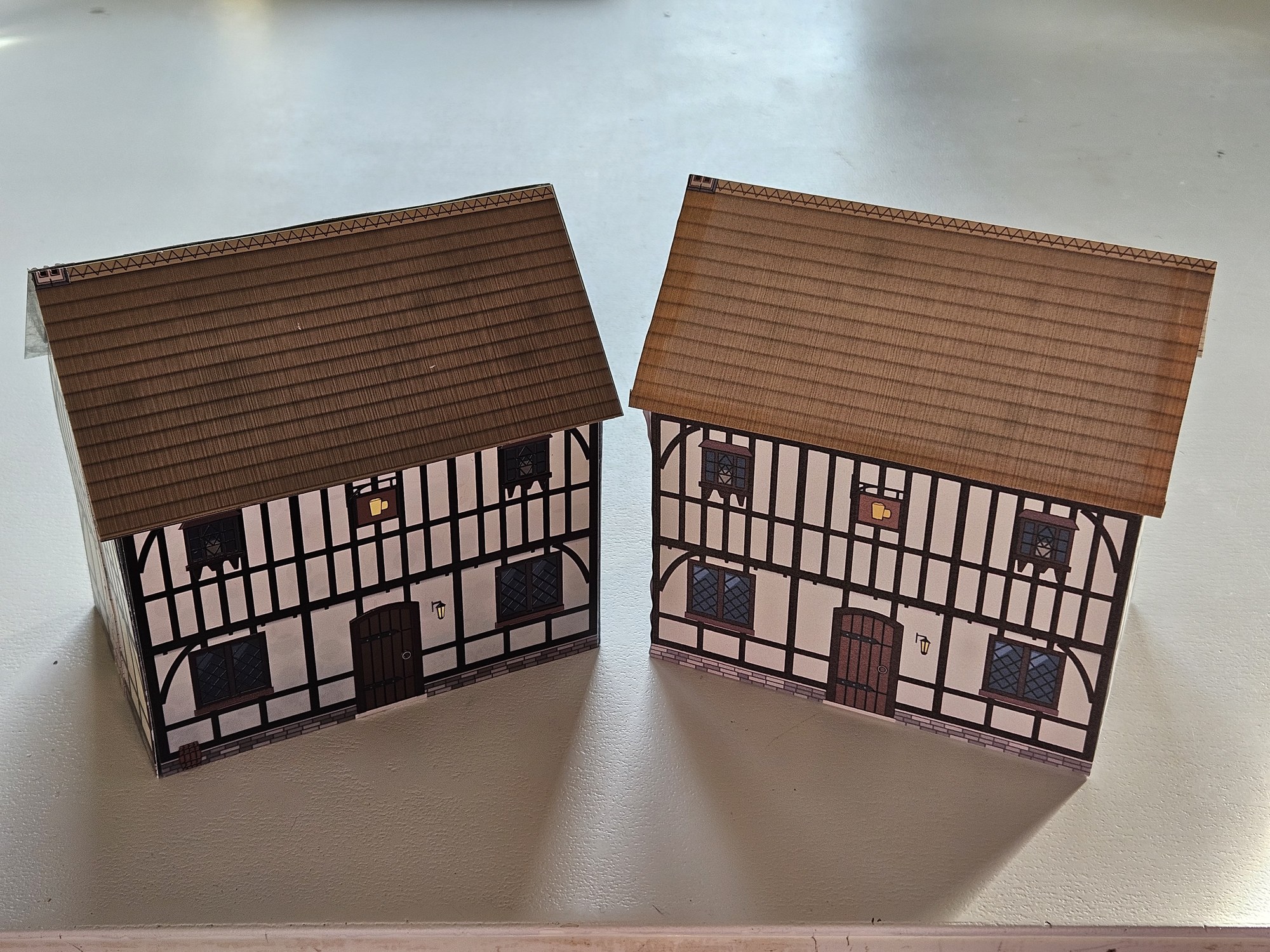
Putting the two side by side makes the difference immediately clear. On the left is the UV-printed Metal Fold with raised 3D surface texture; on the right is the paper version cut and folded from the same template.
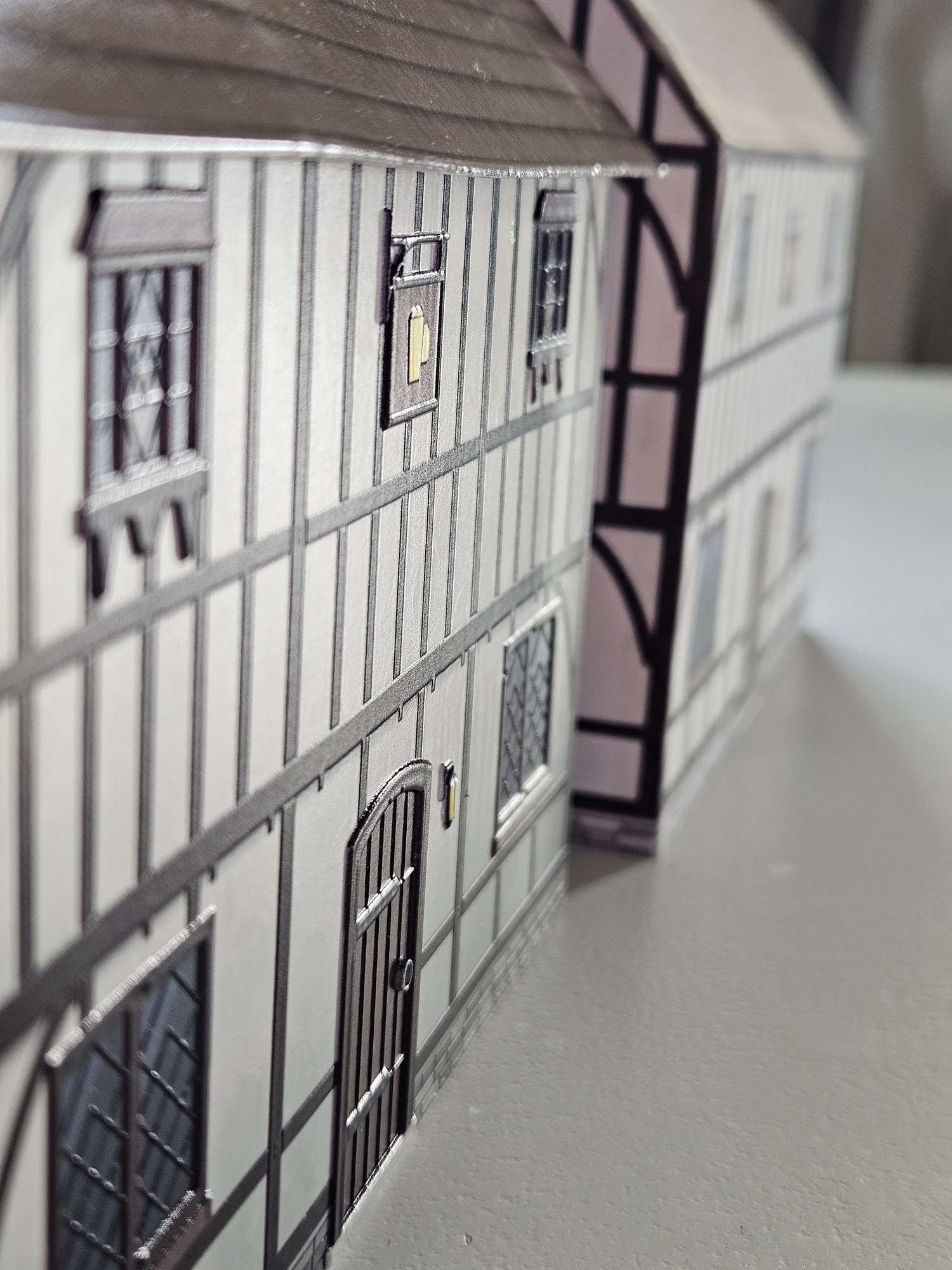
Up close, that UV-printed pass adds real tactile relief—catching the light along the timber framing, leaded window mullions, plank door, and swinging pint-pot sign.
Tuning It to Fit Your World (Right Down to the Local Stone)
Out of the box, the Tudor Tavern is a cozy shire or crossroads inn—which works great for a lot of tables. But you don’t have to keep everything exactly as it’s handed to you. Making a few small tweaks lets you dial in the architecture so it feels like it belongs in your setting:
- Bring in the Right Local Stone: Under 1. Structure & Materials, you can toggle a Stone First Floor and pick Limestone or Granite (or adjust the Masonry Plinth height) to reflect whatever quarry stone is actually common in that province.
- Add a Level & Switch the Fretwork: Want a taller coaching inn? Add an extra story, swap the Frame Styles from English
Tudor Close Studdingto a German-style X-brace fretwork variant, or change the Infill Type, Timber Finish, and Show Pegs toggle. - Match the Roof to the Climate: Swapping Thatch for Slate or Wood Shakes—or dialing thatch Thickness and Overgrowth—turns the exact same floor plan from a damp marshland inn into an upland slate-roofed coaching house or a timber-frontier taproom.
- Dress the Alleyways & Age It In: Drop in extra wooden barrels, storage crates, or creeping ivy vines on the side walls, and nudge Weathering toward
Well UsedorWornif this tavern sits near the docks instead of the town square.
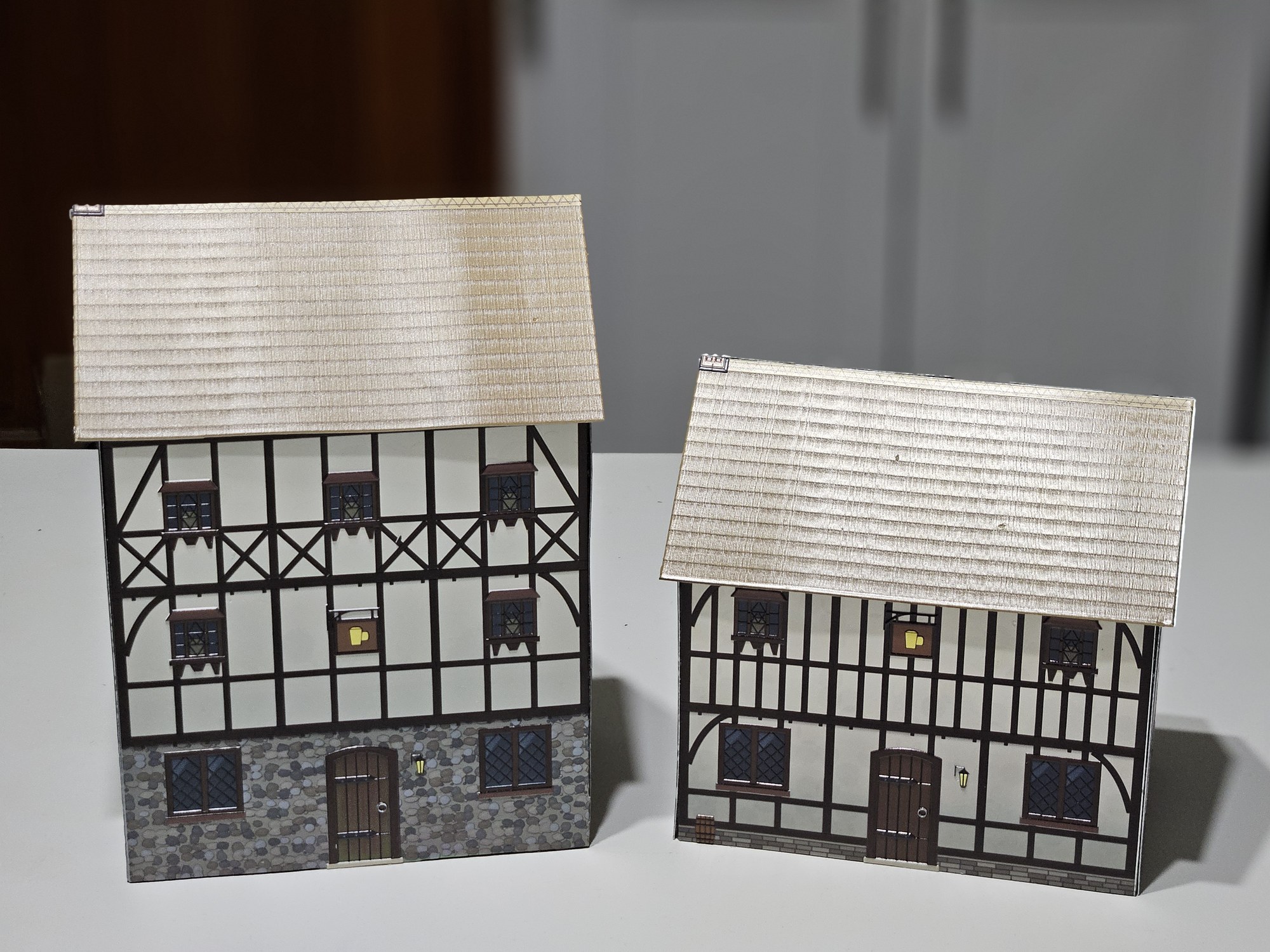
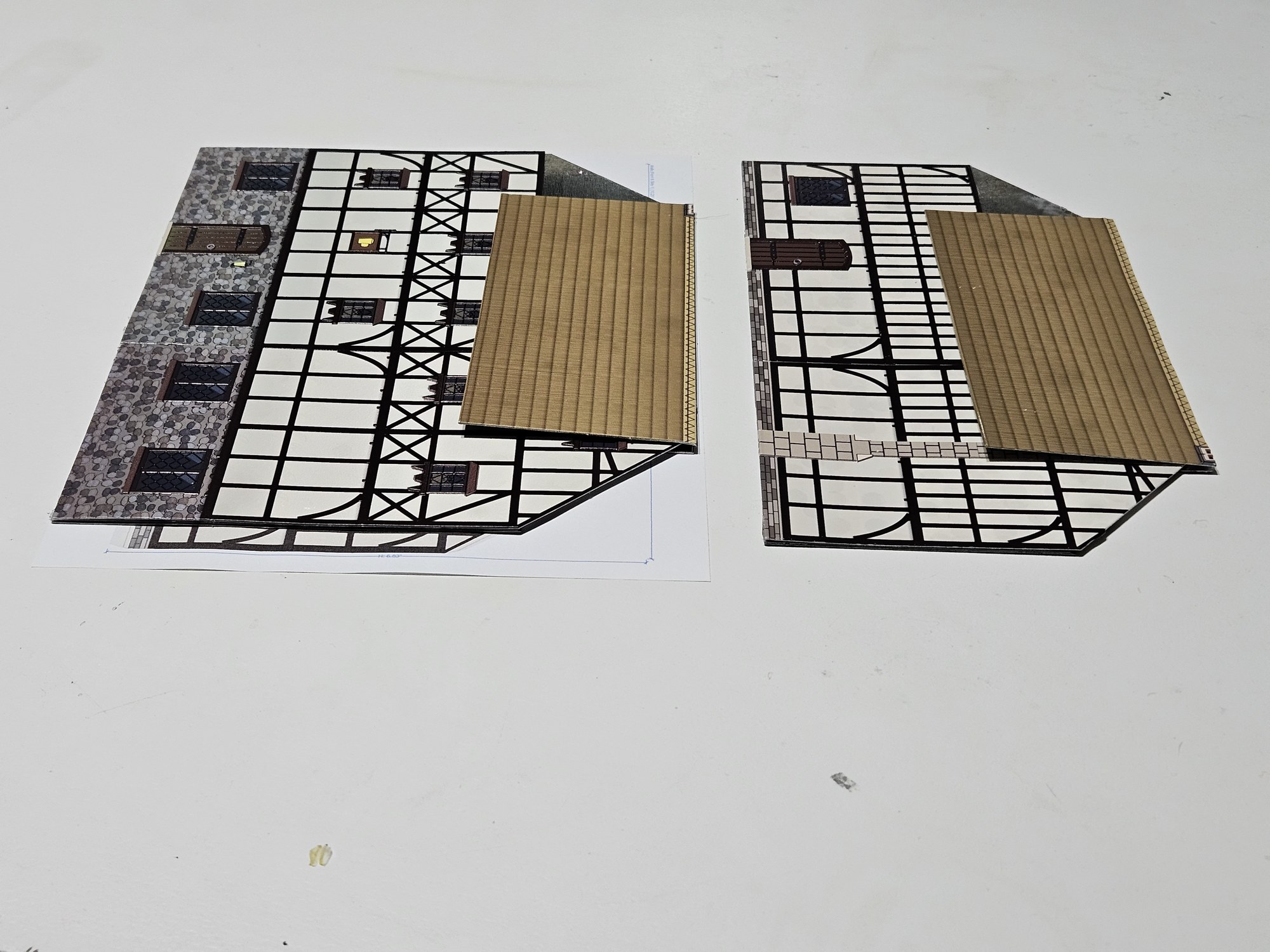
Here’s what a few quick adjustments look like in practice: on the left, we bumped the template up a floor, switched to a stone ground floor, and traded the English Tudor close studding for German-variant fretwork, right next to the default starter on the right.
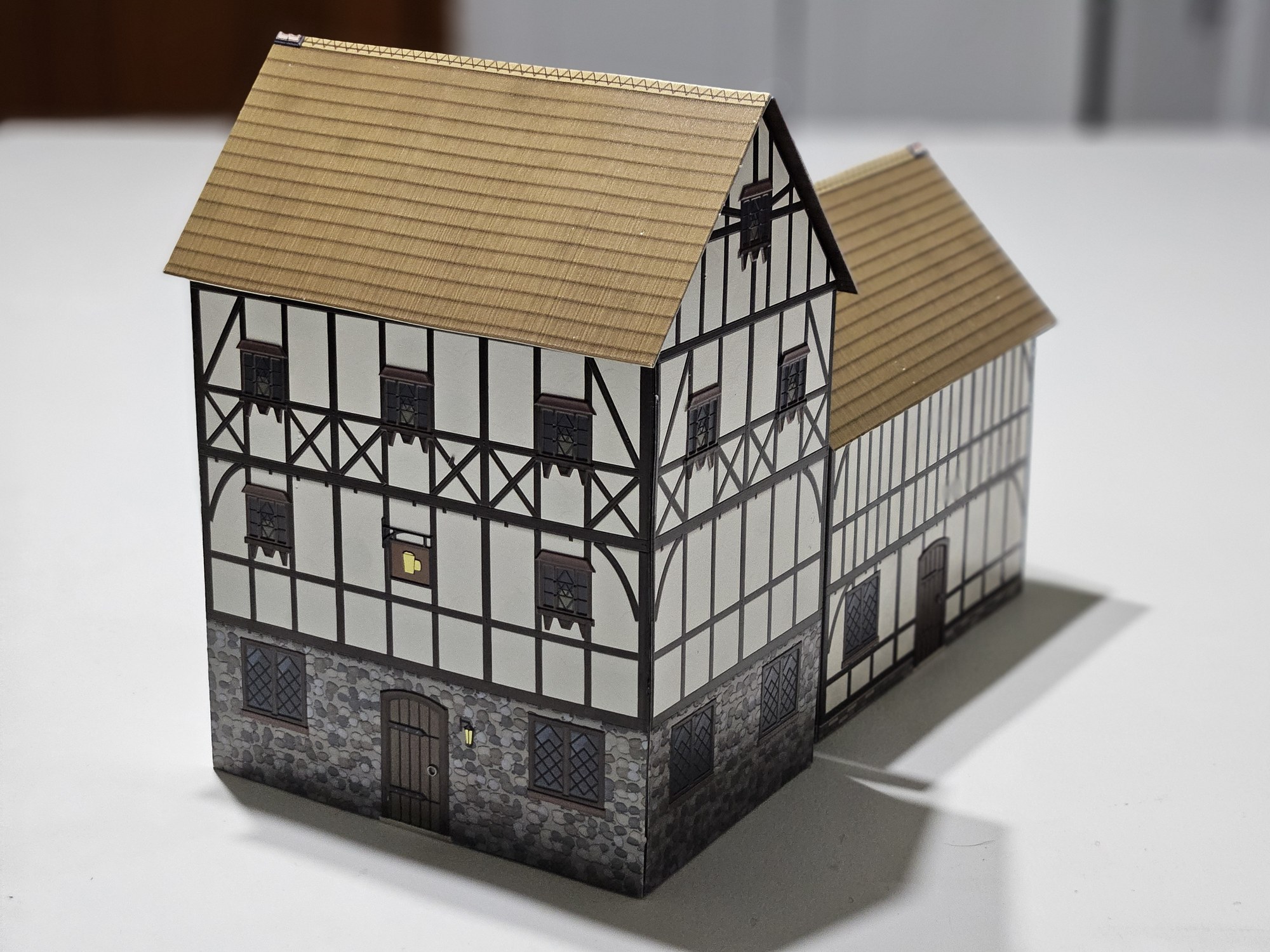
And if your party rolls into a major city and needs a sprawling grand inn for a big tavern brawl or heist, you can even set two prints back-to-back to form one oversized mega inn without designing a whole new footprint from scratch.
Fold Flat, Pack Light: Carrying an Inn in a File Folder
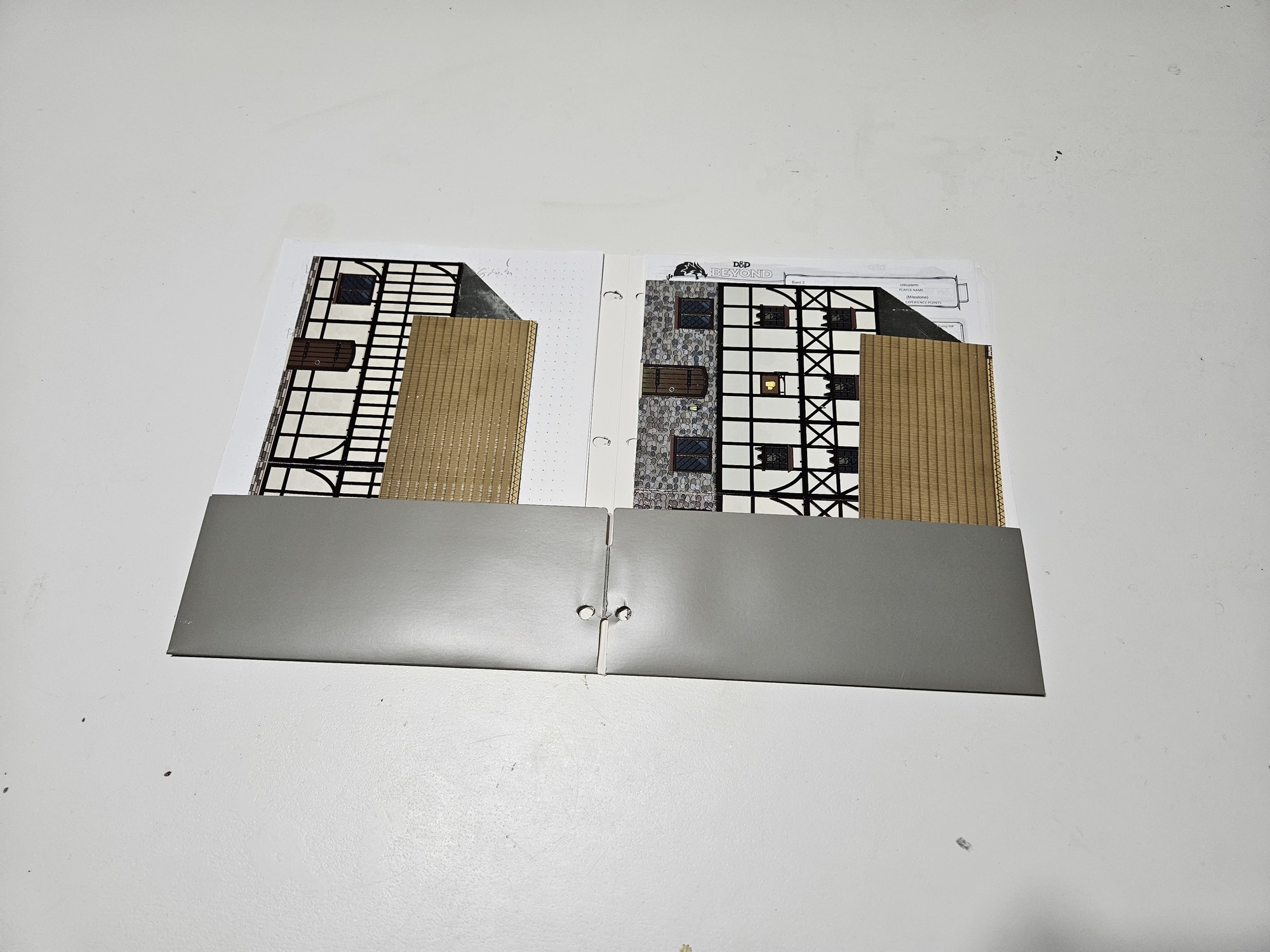
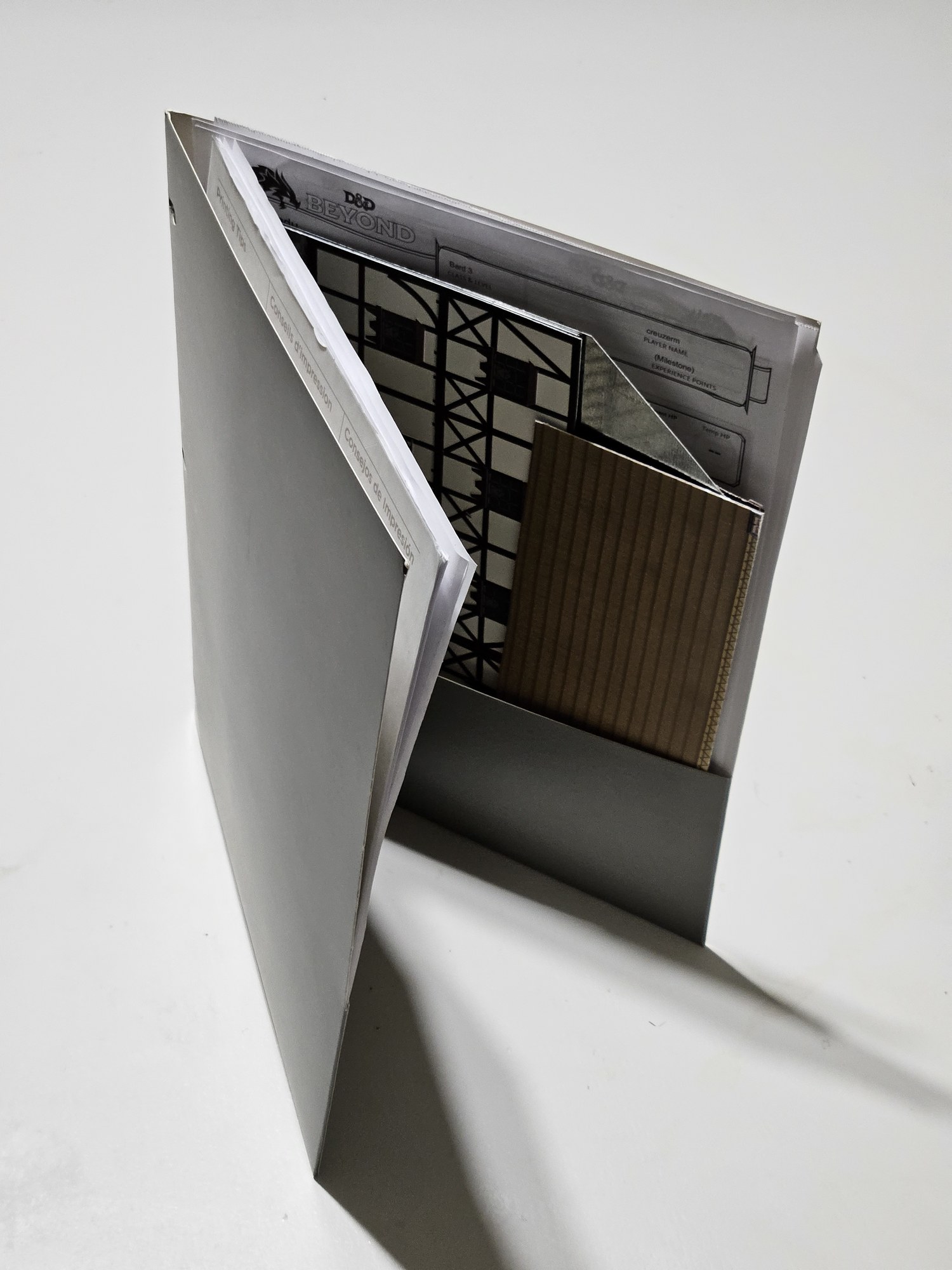
Best of all, you don’t need a foam-lined tote or a trunk full of boxes to bring these buildings to game night. When the session wraps, both the paper and Metal Fold taverns collapse completely flat—thin enough to slide right into a standard two-pocket file folder alongside your character sheets.
Ready to try it? Jump straight into the Tudor Tavern 3D Preview to spin the model, grab a free print-ready PDF, or order a print—or launch it directly in the 2D Building Designer to customize the stonework, roof, and props for your campaign.